
When hurricane season approaches in Cayman, most businesses know the familiar checklist. Secure the property. Review insurance. Protect equipment. Back up important business data. Follow official weather updates. But there is another question that deserves just as much attention:
What happens to your employees?
Does HR have current emergency contacts? Can every employee be reached quickly? Does management know who is available, who has evacuated, who is unable to travel, and who may be needed during recovery? What happens to attendance and leaves records when normal operations are interrupted?
For hotels, restaurants, retailers, property managers, security companies, transport operators, financial services firms, and other Cayman employers, hurricane preparedness is also a workforce issue.
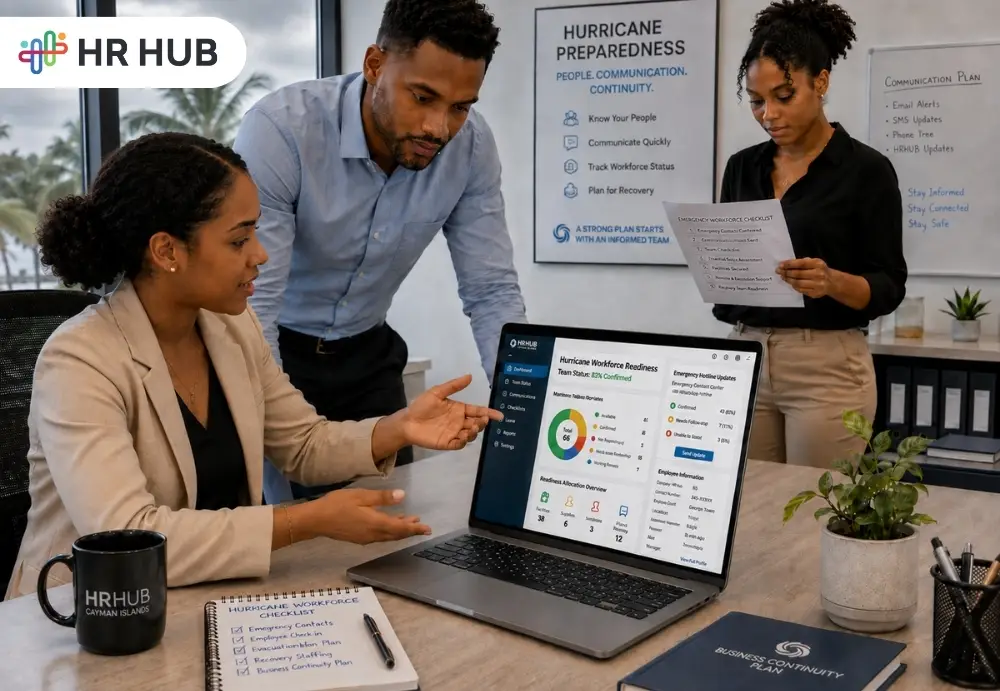
That is where hurricane workforce management software can support a wider hurricane business continuity plan. It gives HR and management a clearer way to prepare employee information, communicate, track workforce status, and organize the return to normal operations.
The question in the title is therefore not simply, “Does your company have a hurricane plan?”
It is: Does your company know what happens to its people before, during, and after disruption?
Hurricane Preparedness Is Also People Preparedness
The Atlantic hurricane season officially runs from June 1 through November 30. Ahead of the 2026 season, Cayman government agencies conducted preparedness exercises, while Hazard Management Cayman Islands (HMCI) continued to emphasize readiness and access to trusted information.
HMCI's National Hurricane Plan is organized around three broad phases: Preparedness → Response → Recovery
The plan supports training, coordination, emergency response procedures, and guidance before, during, and after tropical cyclones.
Hazard Management Cayman Islands hurricane guidance
Businesses can use the same three-stage thinking when planning for employees.
- Before the storm, HR needs reliable information and clear responsibilities.
- During disruption, employees need timely communication, and management needs visibility.
- Afterward, businesses need to understand who can return, which locations can reopen, and where employees may need additional time or support.
This is where Caribbean hurricane preparedness moves from a physical-property exercise to workforce readiness.
What Is Hurricane Workforce Management Software?
Hurricane workforce management software is not a weather forecasting system, nor should HR software replace HMCI alerts or official emergency instructions.
Its roles are different, and it helps businesses organize the employee side of emergency preparedness using information and processes they already manage through HR. That can include:
- Employee information
- Emergency contacts
- Employee notifications
- Mobile access
- Attendance
- Leave
- Employee documents
- Workflows and escalations
- Workforce reports
Think of it as the people layer within business continuity management software.
A hurricane warning may come from the Cayman Islands Government or HMCI. HR's responsibility is to determine what that warning means for the workforce and communicate the company's response clearly.
Start Before There Is a Storm to Track
The worst time to discover that an employee's emergency contact is outdated is during an emergency. Good workforce emergency management starts much earlier. Before hurricane season, HR should review the employee information that would matter during disruption. For each employee, that might include:
- Current phone number
- Email address
- Emergency contact
- Department and work location
- Manager or reporting line
- Relevant workforce documents
The goal is not to collect unnecessary personal information. It is to make sure the employee information the company legitimately needs for emergency operations are current and accessible to authorized users.
Hurricane workforce management software can help keep those records connected rather than leaving managers with separate phone lists and spreadsheets.
Before the Hurricane: Get the Workforce Ready
The preparation phase is where HR can do the most useful work.
1. Review Employee and Emergency Contacts
HR should not assume employee records are current simply because they exist. Before hurricane season, ask employees to verify their phone number, email, emergency contact, and other relevant information. Employee Self Service or mobile access can make updates easier where available.
2. Define the Communication Chain
- Who sends the first company update?
- Who communicates with employees if HR is unavailable?
- Should employees respond to their managers?
- What happens if an employee cannot be reached?
A defined process prevents multiple managers from sending contradictory instructions.
3. Identify Operationally Important Roles
Some businesses may need limited teams during preparation or recovery.
- A property management company may need facilities for personnel.
- A hotel may need engineering, security, or operations staff.
- A retailer may need managers to inspect locations before reopening.
This does not mean employees should report during unsafe conditions. Official safety guidance and company procedures come first. The point is to identify responsibilities before an emergency occurs.
4. Make Important Documents Accessible
Employees may need access to emergency procedures, internal policies, reporting instructions, or return-to-work guidance when they are away from the workplace. Keeping relevant documents digitally available can support the hurricane business continuity plan when normal office access is unavailable.
Emergency Communication Cannot Depend on One WhatsApp Group
Messaging apps can be useful, but businesses should think carefully about whether an informal group chat is enough for workforce emergency management.
Imagine HR needs to tell 300 employees: "Operations will close at 2 PM. Do not report for tomorrow's shift. A further update will be issued at 10 AM."
The message needs to be clear and consistent. Management may also need to know:
- Was the notification issued?
- Which group received it?
- Do some employees need another communication?
- Did managers receive separate instructions?
An employee emergency communication software process can give HR a more structured method of distributing workforce notices.
That does not replace government emergency alerts.
HMCI operates the National Emergency Notification System (NENS), which distributes verified national emergency information through channels including text, email, and app notifications. Employees should continue following official emergency sources.
During Disruption: Visibility Matters More Than Perfect Scheduling
Normal scheduling assumptions may no longer work during a hurricane disruption.
- An employee may be unable to reach the workplace.
- The location may be temporarily closed.
- Public services may be interrupted.
- A manager may be unavailable.
Some employees may have personal or family responsibilities that affect availability. This is when hurricane workforce management software should help management understand workforce status rather than trying to force a normal schedule onto abnormal conditions. HR and managers may need visibility into:
- Available employees
- Reported absences
- Approved leave
- Affected work locations
- Department staffing
- Employees requiring follow-up
- Workforce communications already sent
The aim is not to surveillance. It is knowing enough about the workforce to make sensible operational decisions.
Attendance During a Hurricane Needs Context
Attendance is another area where businesses need a defined process. A normal absence and a hurricane-related inability to report are not necessarily the same operational situation. HR should decide in advance how the organization will record different circumstances according to its policies and applicable requirements. For example:
- Business closed
- Employee instructed not to report
- Employee unable to report
- Approved leave
- Employee working where permitted
- Recovery assignment
- Location unavailable
This is where workforce emergency management benefits HR records rather than informal manager notes. After operations normalize, payroll and HR teams may need to understand what happened during the affected period. Clear attendance records make that review easier.
Leave Requests May Increase Before and After a Storm
Employees may need time away from work for different reasons surrounding a hurricane.
Some may need to prepare their homes.
Others may have family responsibilities.
Some may need additional time after the event before they can safely return.
Businesses need clear internal policies and should apply applicable Cayman employment requirements when determining how leave and work interruptions are handled.
From a systems perspective, the important point is that leave information should remain visible alongside workforce availability.
If leave requests sit in email while attendance sits in another system and employee status sits in a manager's spreadsheet, management gets a fragmented view.
Hurricane workforce management software can help bring that workforce information closer together.
Workflow and Escalation Answer the Question: Who Follows Up?
Sending a notification is one step.
What happens next?
Suppose a manager is responsible for 18 employees.
Fifteen responds to the company's workforce check.
Three do not.
Who follows up?
When?
What happens if the manager is unavailable?
Who receives the escalation?
These are workflow questions.
A useful employee emergency communication software process should support predefined responsibilities, so HR is not inventing an escalation path during the disruption.
This turns communication into a managed process rather than a message that disappears into an inbox.
Reports Can Help Answer the Most Important Recovery Question
After the immediate danger has passed, leadership needs to understand:
What workforce do we actually have available?
This is where Reports and Analytics can support a hurricane business continuity plan.
- A hotel may need a department-level staffing view.
- A retailer with several locations may need to understand which stores have available for teams.
- A security company may need to know where workforce gaps exist before assigning coverage.
- A professional-services business may need to identify employees who can work remotely.
- A property-management company may need facilities for teams at priority sites.
Reports can help management examine workforce information by department, location, attendance status, or other relevant criteria already maintained by the organization. This is one of the practical differences between having employee records and having workforce visibility.
Recovery Should Be Planned Before the Hurricane Arrives
Many plans are detailed about preparation and vague about reopening. But recovery deserves its own workforce plan. Before hurricane season, businesses can define questions such as:
- Who is authorized to announce reopening?
- Who checks whether employees can return?
- Which departments return first?
- How will revised shifts be communicated?
- How will employees report availability?
- How will temporary absences be recorded?
- How will staffing gaps be escalated?
- How will management know when normal schedules can resume?
These decisions form part of Caribbean hurricane preparedness because reopening depends on people, not simply on buildings and electricity. A good recovery plan should also avoid assuming that every employee's situation returns to normal at the same time.
Business Continuity Software Should Not Replace Human Judgment
There is a risk in talking about emergency technology as if software makes decisions. It should not. Business continuity management software can organize information, communications, workflows, and records.
Managers still need judgment.
HR still needs empathy.
Government instructions still take priority.
Employees may face circumstances that cannot be represented by a status field.
The purpose of the system is to help decisionmakers work from better information, not to remove the human decisions required during an emergency.
What Should Businesses Configure Before Hurricane Season?
Instead of waiting for an active storm, Cayman employers can conduct a workforce-readiness review.
Employee Information: Check that employee contact and work information is current.
Emergency Contacts: Give employees a simple way to review and update appropriate emergency contact details.
Notifications: Prepare communication groups and templates before they are needed.
Mobile Application: Make sure employees know how to access the system from the workplace.
Attendance: Define how disruption-related attendance situations will be recorded.
Leave: Clarify how employees submit and managers review leave during affected periods.
Documents: Keep current emergency and workforce procedures available to authorized users and employees where appropriate.
Workflow and Escalation: Define who follows up when employees cannot be reached, or workforce issues remain unresolved.
Reports and Analytics: Decide what workforce information leadership would need before reopening.
These are the practical foundations of hurricane workforce management software.
Prepare the People Side of Business Continuity
A hurricane plan can protect buildings, systems, and equipment. But people determine how the business responds and how it returns.
HR HUB Pro connects Employee Information, Emergency Contacts, Notifications, Mobile Application, Attendance, Leave, Documents, Workflow & Escalation, and Reports & Analytics to help Cayman employers maintain a clearer workforce picture before, during, and after disruption.
Keep employee information current. Establish communication paths. Define escalation of responsibilities. Maintain workforce records. Give management the information needed to plan recovery.
Because the real test of hurricane workforce management software is not what it does on an ordinary day. It is whether your team knows what to do when the ordinary workday suddenly changes.
Frequently Asked Questions
1. What should a hurricane business continuity plan include?
It should cover employees, facilities, technology, communications, critical operations, closure procedures, responsibilities, and recovery plans.
2. How should employers communicate during a hurricane?
Use a predefined communication process and employee emergency communication software for company updates, while directing employees to official Cayman Government and HMCI alerts.
3. What are NENS in the Cayman Islands?
NENS is HMCI’s National Emergency Notification System, providing verified emergency alerts through text, email, and app notifications.
4. Can HR software track employees during a hurricane?
HR software can record employee availability, attendance, leave, communications, and workforce status for coordination, rather than physical tracking.
5. Why is workforce planning important after a hurricane?
Recovery can be gradual. Business continuity management software helps businesses understand workforce availability and plan a phased return to operations.